Login
Login



Should Your AIO Pump Go on CPU_FAN or AIO_PUMP?

Short answer: It depends on what the 3-pin cable does. If it powers the pump, like on the Kraken Core, plug it into AIO_PUMP and set that header to full speed. If it only reports pump speed, like on the Kraken Elite and Kraken Plus, use CPU_FAN when the fans run through the cooler and AIO_PUMP when they don't.
Most motherboards give you two headers near the CPU socket. AIO instructions don't always agree on which one the pump wants. The right answer comes down to two questions: is that 3-pin cable powering the pump? And where are your radiator fans plugged in? Answer those and the rest falls into place.
What's the difference between CPU_FAN and AIO_PUMP?
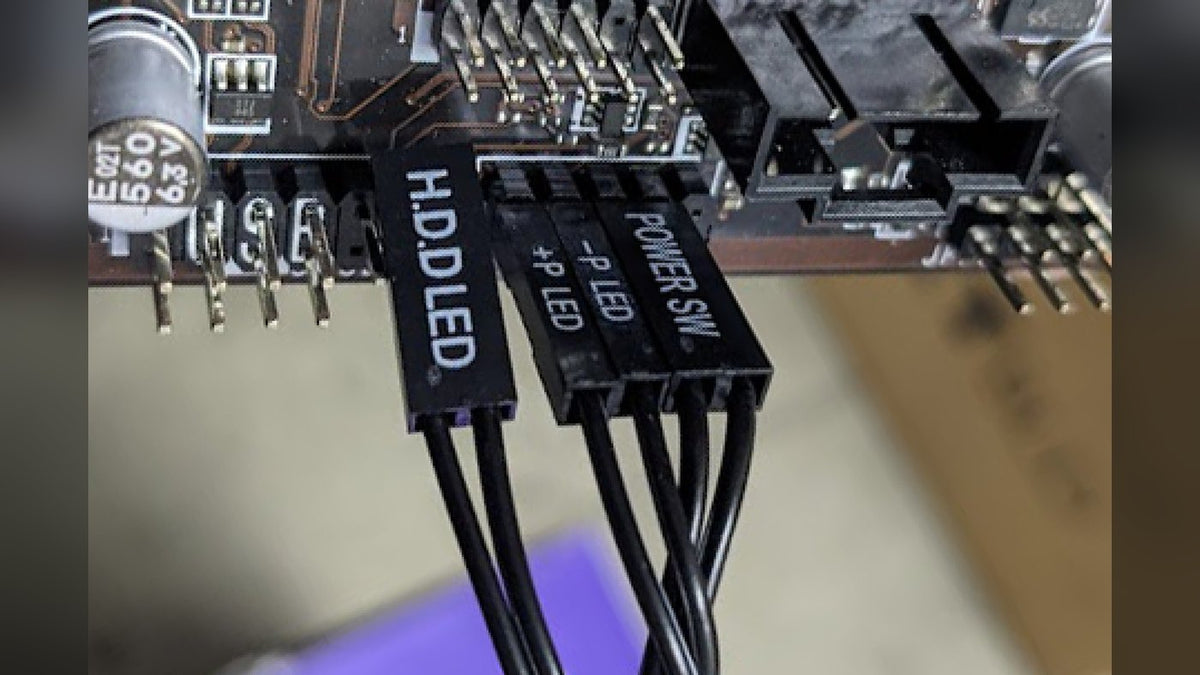
Both are standard fan-style headers, usually near the top of the motherboard. The difference is how the board treats them.
- CPU_FAN is the header the motherboard watches. If nothing reports a speed there, many boards flag a missing CPU fan error at startup.
- AIO_PUMP is a second CPU cooler header meant for a pump. Depending on the brand it can be labeled CPU_OPT or CPU_FAN2 instead, so check your motherboard manual if you can't find it.
So the goal is simple: something that reports a speed should always be on CPU_FAN. The pump should be on a header that gives it what it needs.
Does your 3-pin cable power the pump or just report its speed?
This is the part that trips people up. Some AIOs run the pump straight off the motherboard header. Others power the pump from the PSU and use the 3-pin cable only to send the pump's speed (its tachometer reading) back to the board.
| Cooler | Pump power | What the 3-pin cable does |
|---|---|---|
| Kraken Core, Kraken 120 | Motherboard header | Powers the pump and reports its speed |
| Kraken Elite, Kraken Plus, Kraken (2023), Kraken Z, Kraken X | SATA from the PSU | Reports pump speed only |
For other brands, check the manual. If the pump has its own power cable from the PSU, the 3-pin cable is only reporting speed.
Kraken Core: plug the pump into AIO_PUMP
Because the Kraken Core's pump runs off the header, it wants a header it can have to itself at full speed.
| Cable | First choice | Fallback |
|---|---|---|
| 3-pin pump connector | AIO_PUMP, CPU_OPT or CPU_FAN2 | CPU_FAN, if your board has none of those |
| 4-pin fan connector | CPU_FAN | SYS_FAN (also called CHA_FAN), if the pump took CPU_FAN |
Putting the fans on CPU_FAN keeps the motherboard happy, since it sees a speed on the header it watches. If the pump has to take CPU_FAN because there's no AIO_PUMP header, move the fans to a SYS_FAN header. The full install, from bracket to BIOS, is in our AIO install guide.
Kraken Elite and Kraken Plus: it depends on your fans
These coolers take SATA power for the pump and an internal USB connection for CAM. Their 3-pin cable only reports pump speed, so the choice comes down to where the radiator fans are plugged in.
- Fans plugged into the Kraken's own fan cable: put the 3-pin pump cable on CPU_FAN. CAM reads the pump speed in the PC Monitoring tab and the motherboard sees a speed on CPU_FAN, so there's no missing fan error.
- Fans plugged into the motherboard: put the 3-pin pump cable on AIO_PUMP or CPU_OPT and the fans on CPU_FAN. CAM can still read the fan speed and the motherboard controls the fans directly.
Running the fans through the Kraken is the tidier option, since CAM then manages the pump and fans together in its Cooling tab. You can pick a preset like Silent or Performance or draw your own curve against CPU, GPU or liquid temperature.
Set a header-powered pump to full speed
If your pump runs off a motherboard header, the BIOS decides how fast it spins. Press F2 or Delete on the startup screen to get in, then open the fan settings. On NZXT motherboards they're in the PC Monitoring tab. If the BIOS opens in Easy Mode, switch to Advanced Mode first.
Select the header your pump is on and set it to Full Speed. Some boards call it 100%, Fixed or a custom curve held at 100%. The Kraken Core's pump is designed to run at a constant speed at maximum power. Silent or other low modes can damage it over time.
Fan headers are yours to tune: Silent or Standard suits most builds. Save and exit and the pump runs flat out from then on.
Which Krakens let CAM control the fans?
If your fans are on the motherboard, the BIOS or the motherboard's own software controls them. If they're on the Kraken, CAM does, but only on models that support it:
| Kraken | Fan control in CAM | RGB control in CAM |
|---|---|---|
| Kraken Elite (2024), Kraken Plus (2024) | Yes | Yes |
| Kraken Elite (2023), Kraken (2023) | Yes | No |
| Kraken Z, Kraken X2, Kraken X1 | Yes | Yes |
| Kraken X3 | No | Yes |
| Kraken Core, Kraken 120 | No | No |
The Kraken Core and Kraken 120 don't appear in CAM at all, which is expected. Set their fans in the BIOS instead. More on what CAM does and doesn't need to manage is in do you need CAM running?
Frequently asked questions
Why does my PC show a CPU fan error with an AIO installed?
Nothing is reporting a speed on CPU_FAN. That usually means the pump is on AIO_PUMP and the fans are on SYS_FAN. Move whichever cable reports a speed onto CPU_FAN: the pump cable on a Kraken Elite or Kraken Plus with fans on the Kraken. In any other setup, it's the fans.
Can I plug my AIO pump into an NZXT RGB & Fan Controller or Control Hub?
No. AIO pumps draw more power than those controllers are built for, which can permanently damage the pump or the controller. Put the radiator fans on the controller if you want them in CAM and keep the pump on the motherboard.
Can I get CAM fan control on a Kraken Core?
Yes, through a controller. Connect the fans to an NZXT RGB & Fan Controller or Control Hub and CAM can run them. The pump still stays on the motherboard header at full speed. Our fan controller vs splitter guide covers the hardware.
What pump speed should my Kraken report?
Kraken pumps with a speed cable typically report around 3200 RPM. A reading of 0 or N/A means the pump isn't getting power or has stopped, so check the connections first. If they're fine, work through how to tell if your AIO is failing.
Can I run two fans from the CPU_FAN header?
Usually yes, as long as you stay inside the header's power rating. Our guide to how many fans you can put on one header shows how to check.
Still stuck?
Tell NZXT Support which cooler and motherboard you have and they'll confirm exactly where each cable goes.