내용으로 건너뛰기

장바구니

장바구니가 비어있습니다

F280 RGB Core

280mm 싱글 프레임 RGB 팬 유닛

3.9
Rated 3.9 out of 5 stars
3.9 Stars (35 Reviews)
Where to Buy

Your Prepay and Save Options

Choose the plan that works best for you.

Month-to-Month

Cancel and return anytime with no fees. This option provides maximum flexibility with no long-term obligations.

Prepaid Terms

Prepay for a multi-month term (3, 6, 12 months) and lock in a lower effective monthly rate.


When your term ends, you have simple options:

1

Month-to-Month: By default, your subscription automatically converts to the month to month rate requiring no action from you.

2

Prepay Again: Alternatively, you can choose to prepay for another 3, 6, or 12 month term.

3

End Subscription: Cancel and return with no fees.

개요

NZXT F Series RGB Core 싱글 프레임 팬은 여러 개의 팬을 매끄럽게 통합하여 손쉬운 설치를 지원하는 동시에 뛰어난 냉각, 속삭이듯 조용한 성능, 강렬한 RGB 비주얼을 선사합니다.

  • 팬이 통합된 싱글 프레임 유닛으로 설치, 설정, 조명 제어가 간소화되어 개별 팬을 연결할 필요가 없습니다.
  • 케이블 하나만 NZXT 컨트롤러(별매)에 연결하면 NZXT CAM 소프트웨어로 조명과 속도를 제어할 수 있습니다. 또는 동봉된 스플리터 케이블을 사용해 메인보드의 5V ARGB 헤더에 연결하세요.
  • 팬 블레이드 설계가 정압을 높여 좁은 공간으로도 공기를 밀어내면서 최적의 공기 흐름을 보장합니다. 흡기와 배기 모두에 적합합니다.
  • 유체 동압 베어링이 60,000시간의 뛰어난 수명 동안 조용하고 안정적인 작동을 보장합니다.
  • 각 팬 허브의 개별 주소 지정이 가능한 8개의 RGB LED가 반투명 블레이드를 통해 확산되어 눈부시게 다채로운 비주얼을 연출합니다.
  • PWM 제어 팬이 PC 온도에 따라 회전 속도를 동적으로 조정하여 최적의 효율성과 소음 감소를 실현합니다.
  • 진동 방지 고무 코너가 진동으로 인한 소음을 효과적으로 제거하여 어떤 속도에서도 조용한 성능을 제공합니다.
  • NZXT 컨트롤러(별매)에 연결하면 CAM 소프트웨어로 조명과 팬 속도를 제어할 수 있습니다.
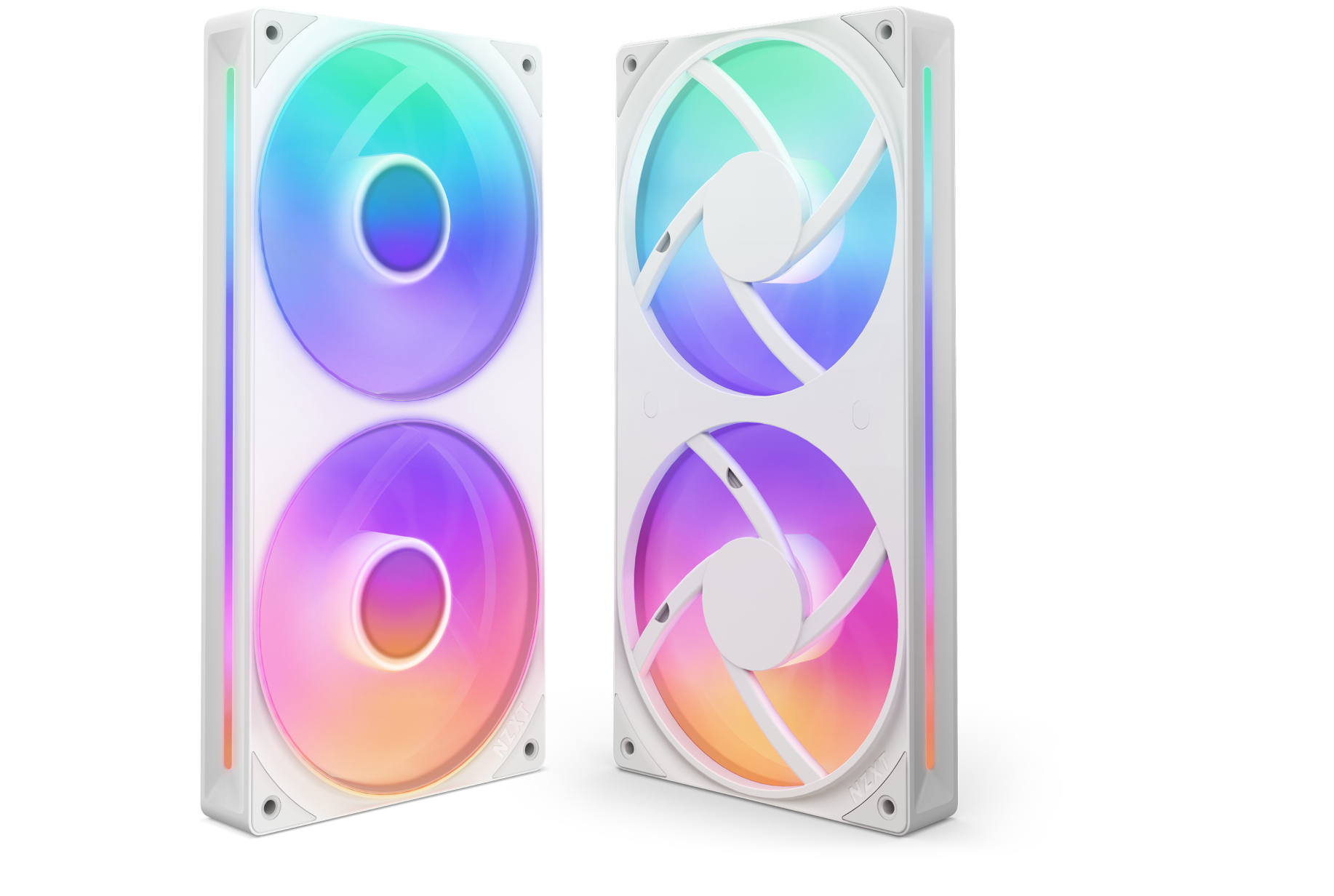
Two white, rectangular PC cooling fans with vibrant RGB lighting are shown. The fans have a colorful gradient glow in shades of blue, pink, purple, and yellow, and are positioned upright, one facing front and one facing side.

올인원 디자인

팬이 통합된 싱글 프레임 유닛으로 설치, 세팅, 조명 제어가 한결 간단해집니다.

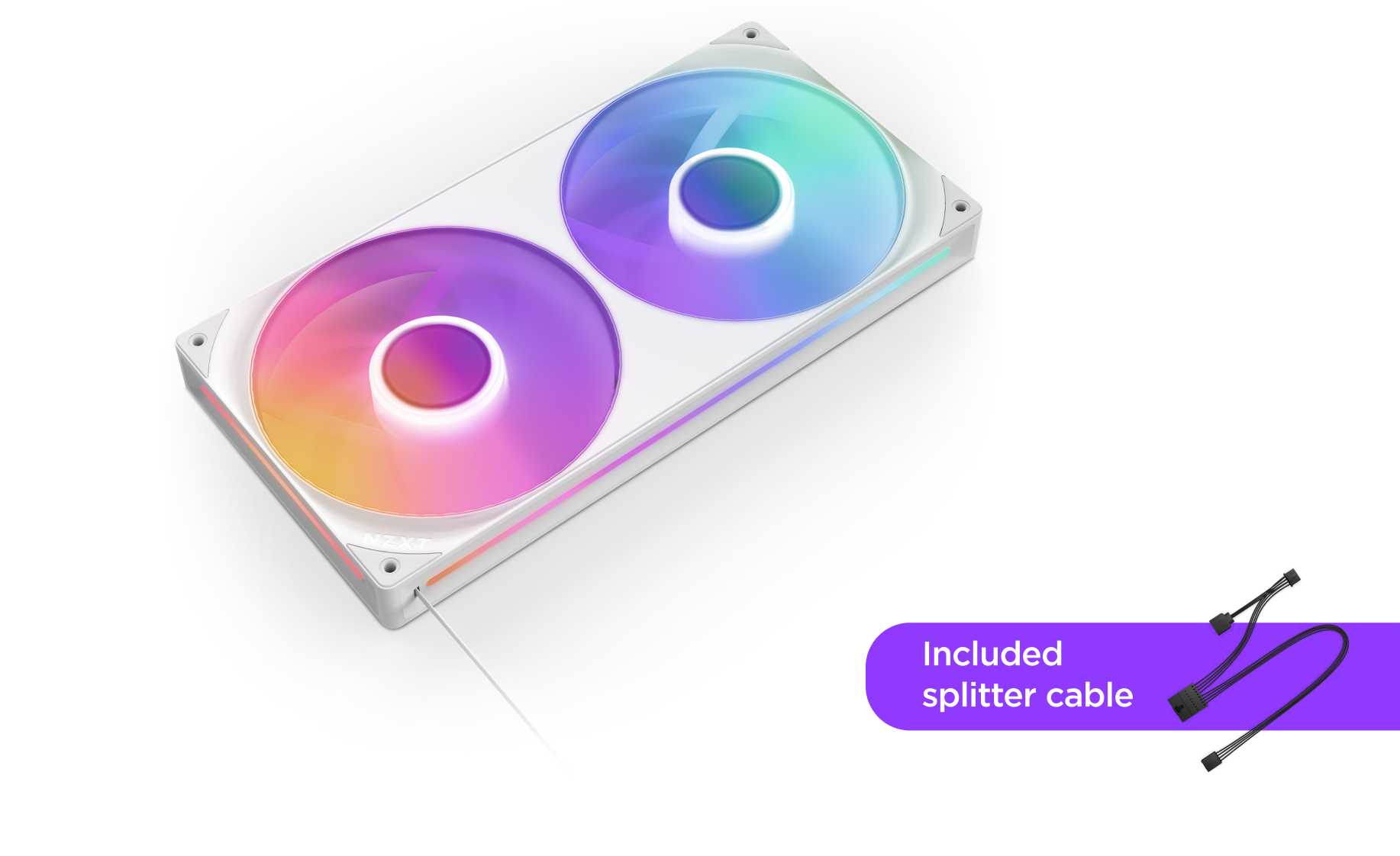
A white dual-fan RGB case fan with colorful lighting, shown from an angle. In the corner, a purple label reads Included splitter cable with an image of the splitter cable beside it.

다재다능한 연결성

케이블 하나만 NZXT 컨트롤러(별도 판매)에 연결하면 NZXT CAM 소프트웨어로 조명과 속도를 제어할 수 있습니다. 또는 포함된 스플리터 케이블로 마더보드의 5V ARGB 헤더에 연결하세요.

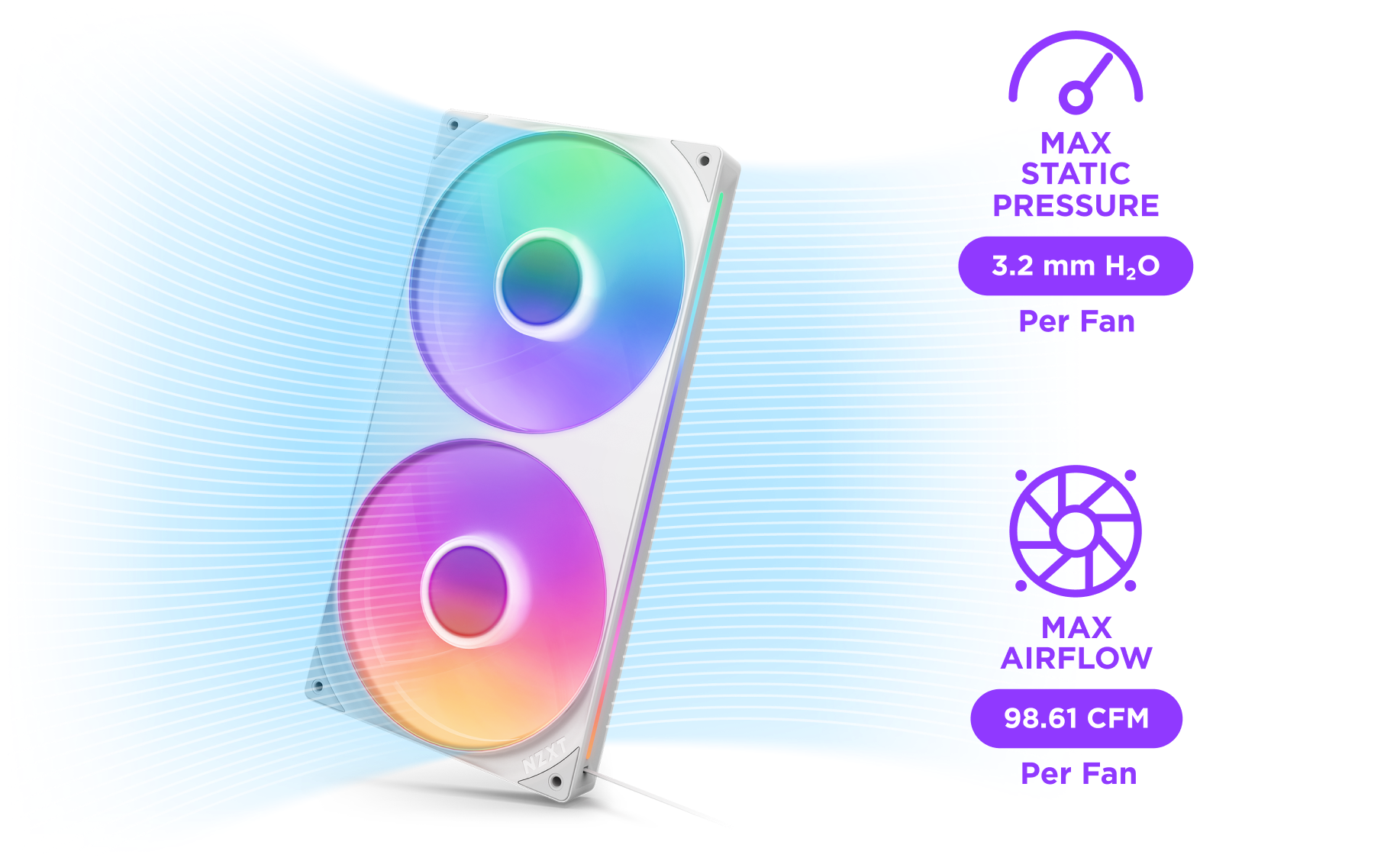
A white dual-fan computer cooler with rainbow RGB lighting is shown. Text highlights specs: 3.2 mm H₂O max static pressure per fan, and 98.61 CFM max airflow per fan, with blue lines forming a dynamic background.

최적의 성능

블레이드 디자인이 정압을 끌어올려 좁은 공간에서도 뛰어난 풍량으로 공기를 밀어냅니다.

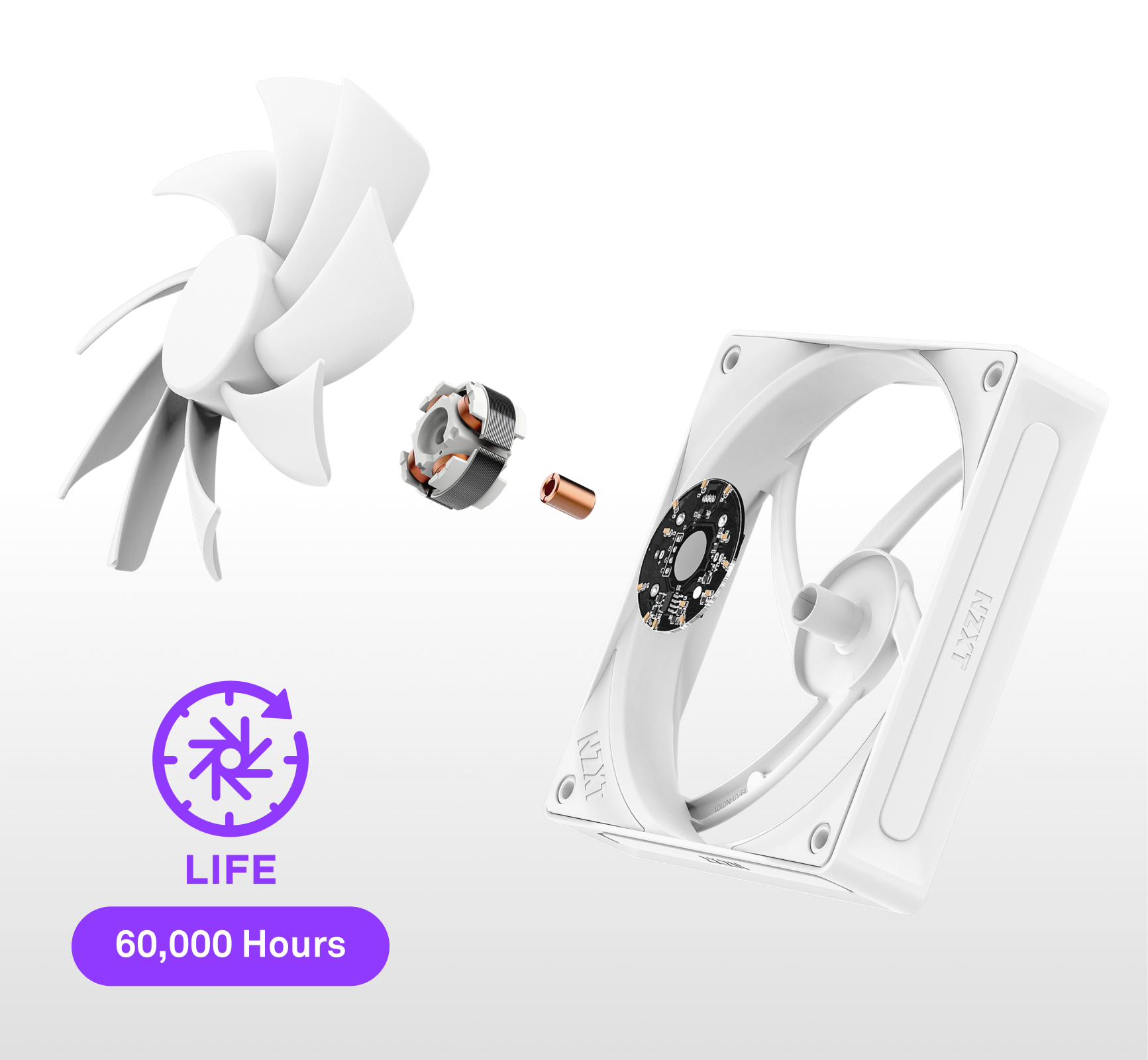
Exploded view of a white computer fan showing its components. A purple icon with a fan and circular arrow reads LIFE 60,000 Hours below the image.

유체 다이나믹 베어링

낮은 소음, 높은 회전 안정성, 60,000시간의 팬 수명을 보장합니다.

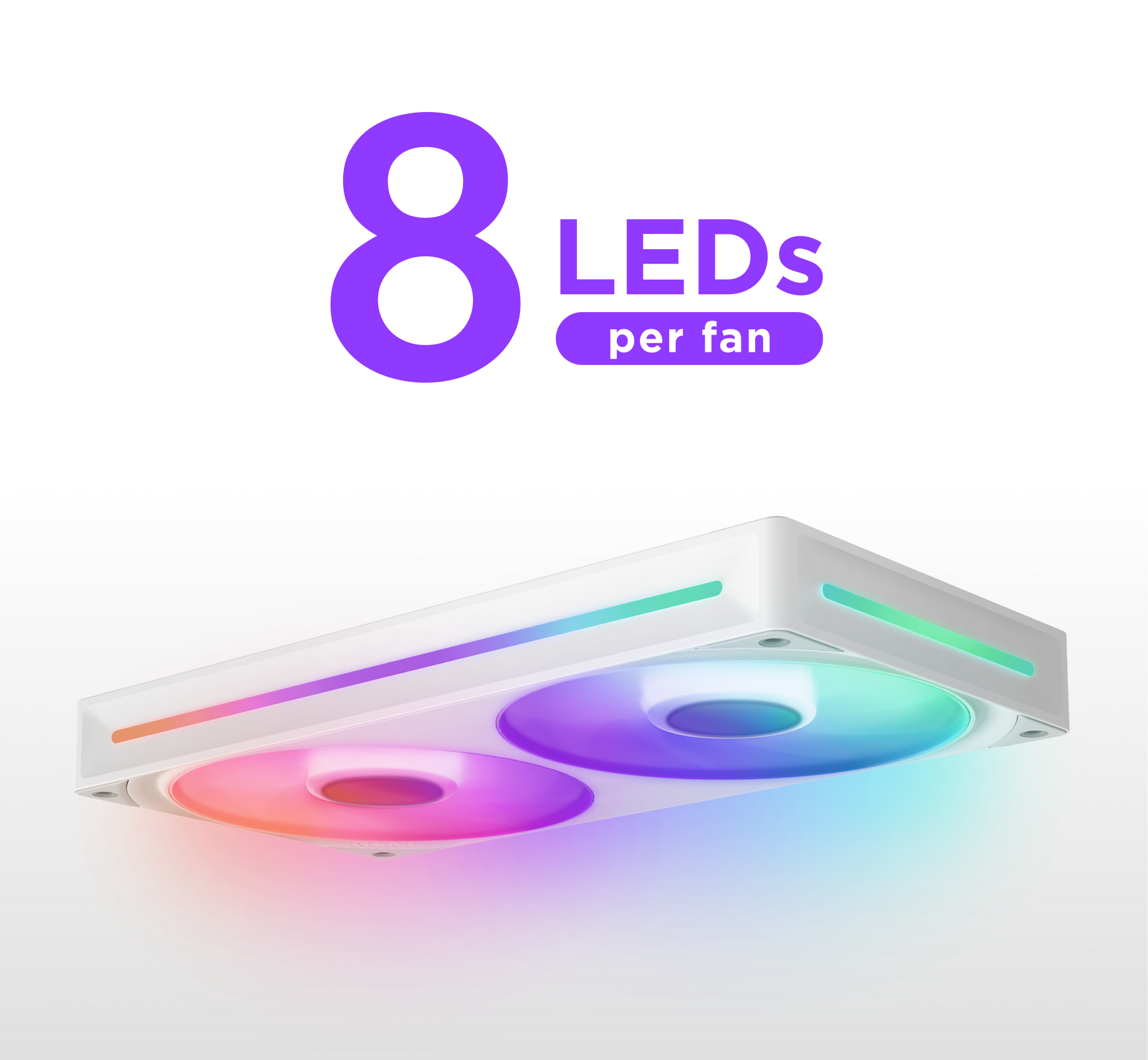
A white dual-fan computer cooling unit emits colorful RGB lights, with the text 8 LEDs per fan in bold purple above it.

눈부신 RGB 라이팅

팬 허브당 8개의 aRGB LED가 반투명 블레이드와 프레임 사이드 윈도우를 통해 빛납니다.

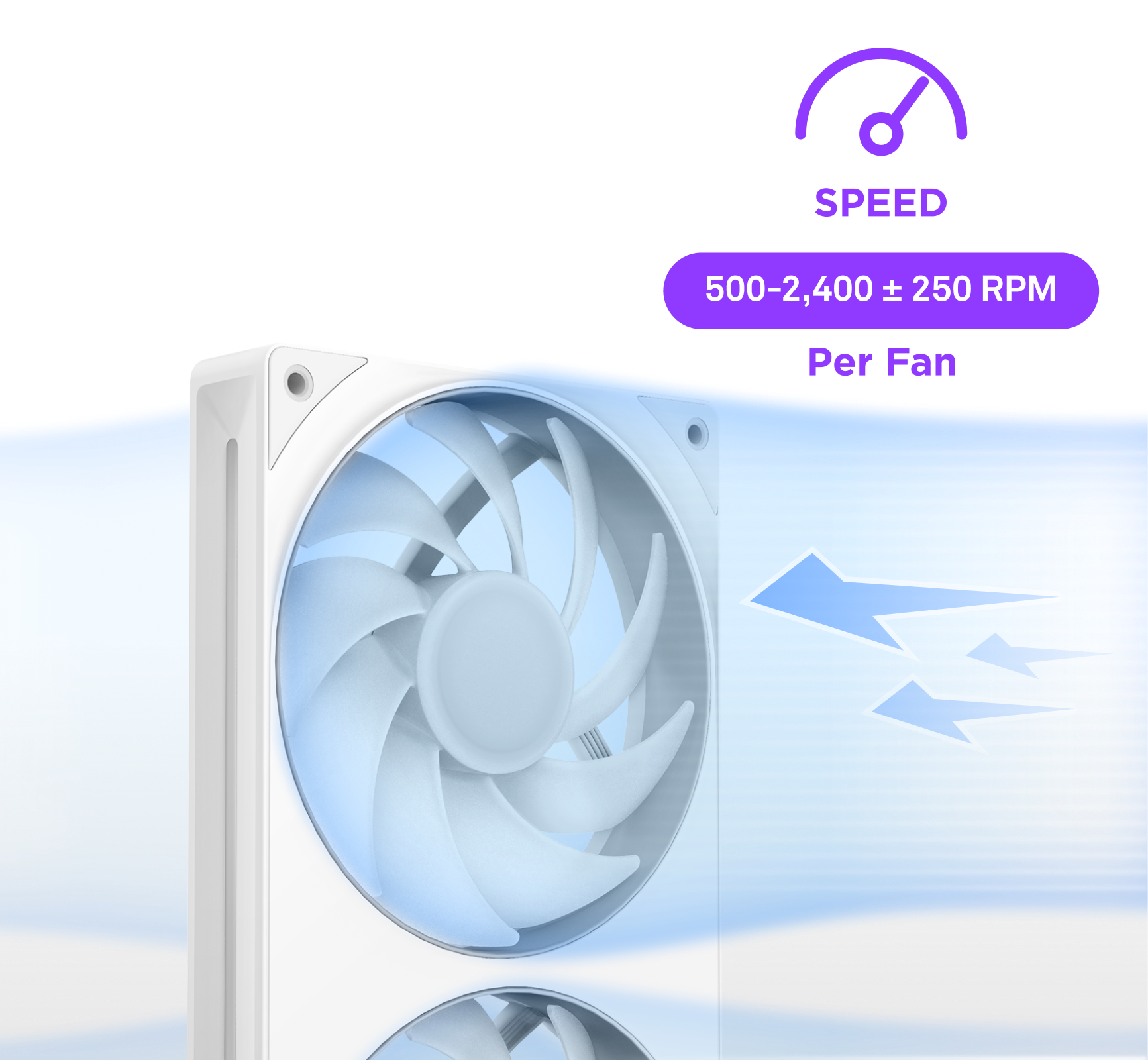
A white computer cooling fan with blue light effects, next to text showing speed range 500-2,400 ± 250 RPM per fan and a speedometer icon. Blue arrows indicate airflow direction in the background.

PWM 제어

PC 온도에 따라 팬 속도를 동적으로 조절해 최적의 효율을 냅니다*.

*마더보드 또는 컨트롤러(별도 판매)에 PWM 연결 필요

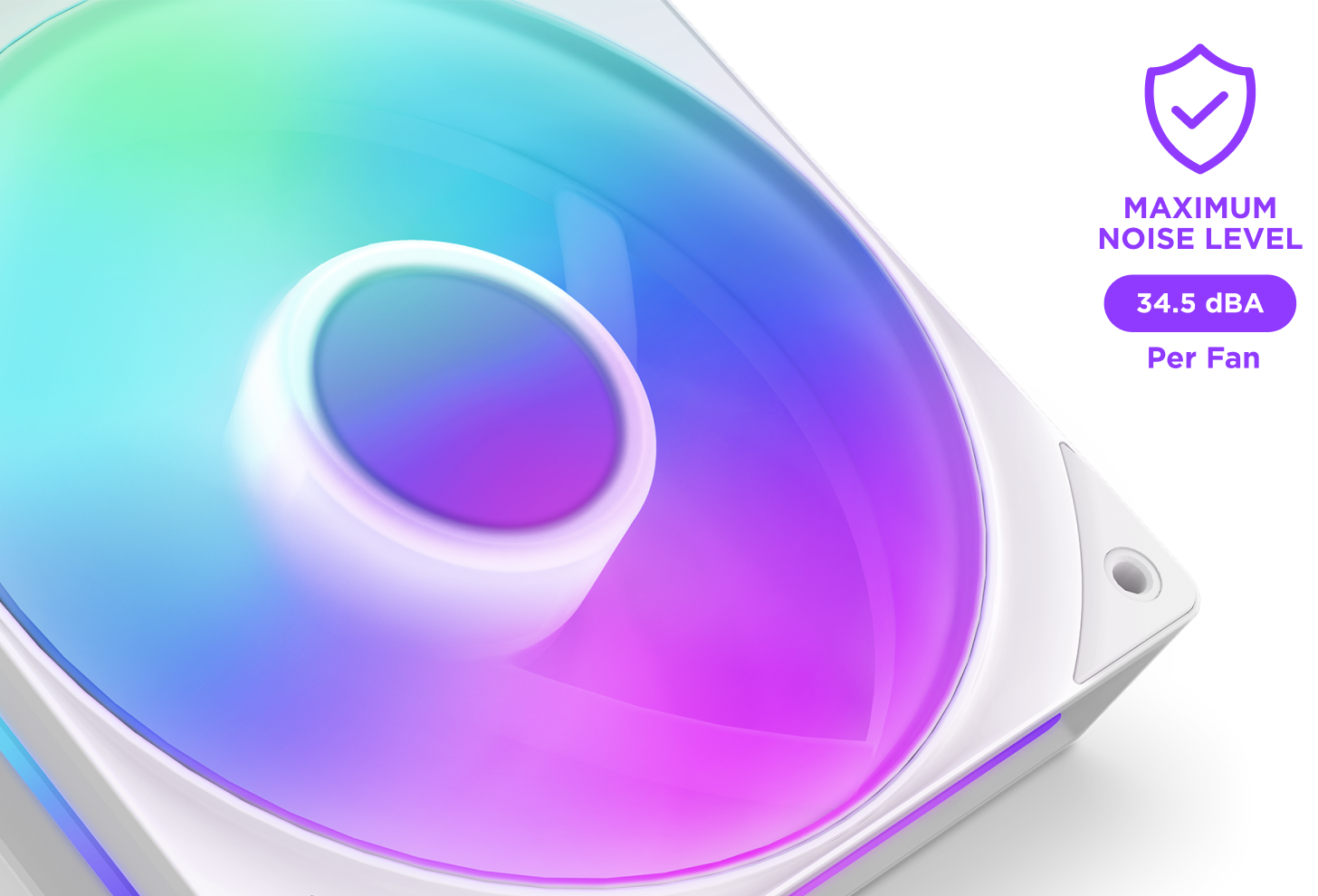
A close-up of a computer cooling fan with vibrant RGB lighting. A label beside it reads “MAXIMUM NOISE LEVEL 34.5 dBA Per Fan” with a shield and checkmark icon above the text.

조용한 작동

고무 처리된 모서리가 소음을 잡고, Zero RPM 모드*가 저부하 시 팬을 완전히 멈춥니다.

*NZXT 컨트롤러 또는 NZXT 마더보드 필요, 각각 별도 판매.

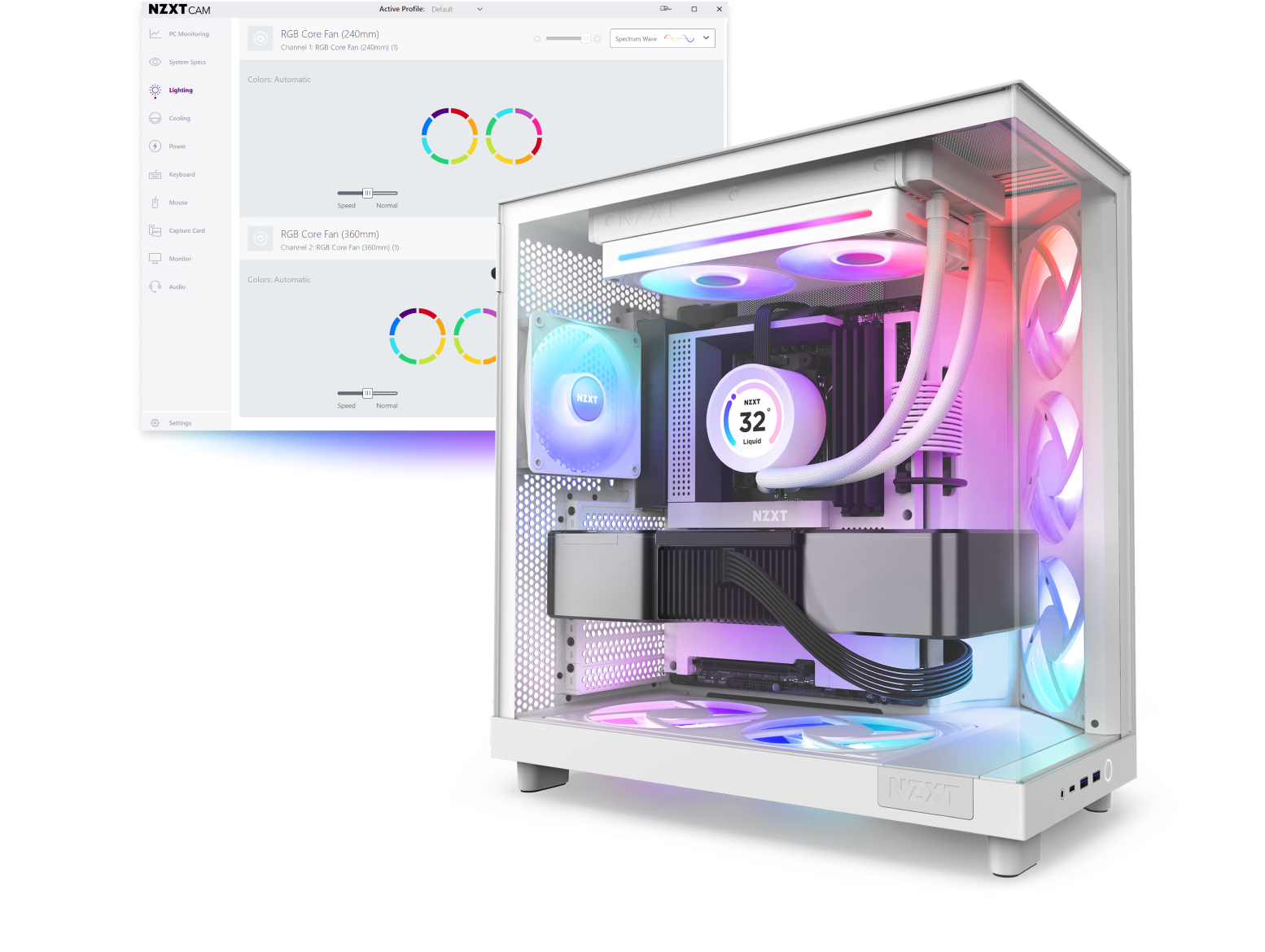
A white gaming PC with RGB lighting inside, featuring fans, a cooling system, and a graphics card, is shown in front of a computer screen displaying software for customizing RGB lighting and color profiles.

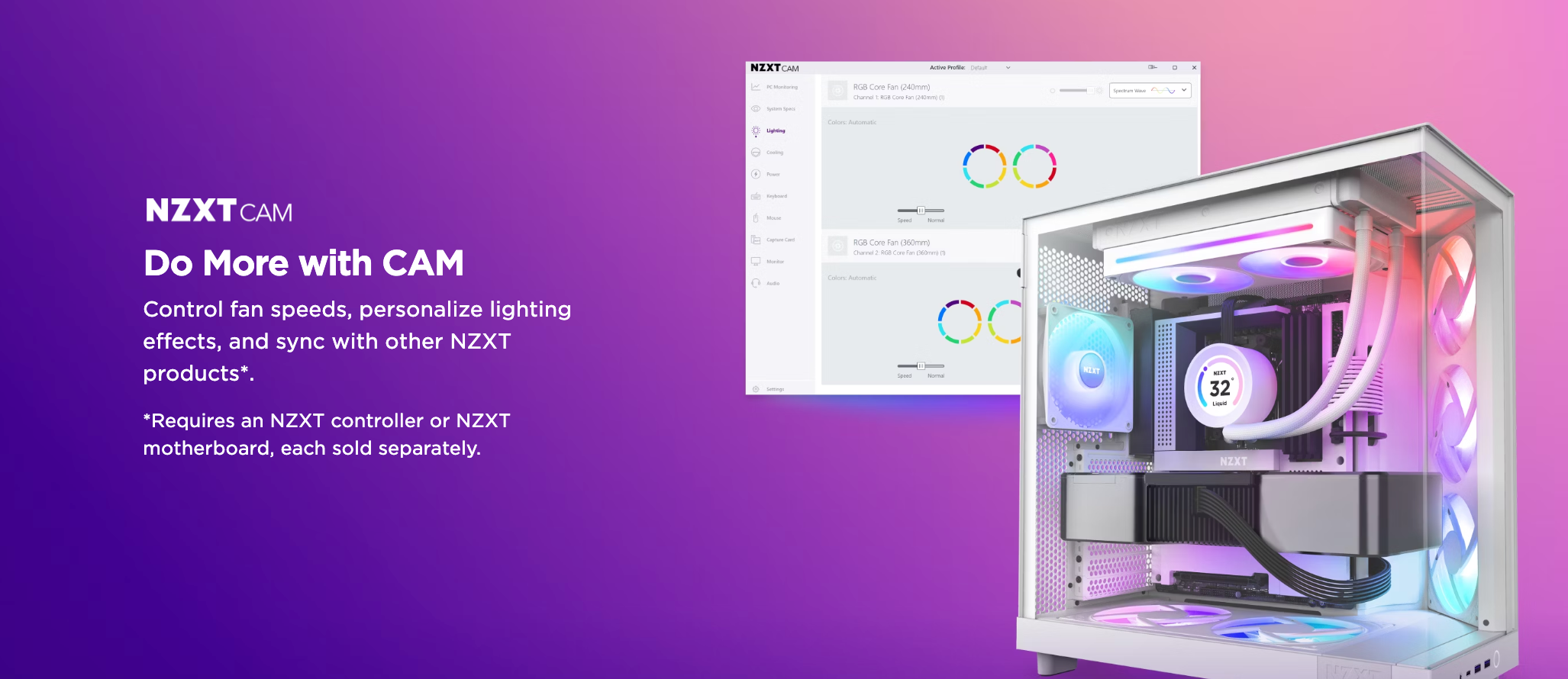
CAM으로 더 많은 것을

팬 속도를 제어하고, 조명 효과를 개인화하고, 다른 NZXT 제품과 동기화하세요*.

*NZXT 컨트롤러 또는 NZXT 마더보드 필요, 각각 별도 판매.

A white RGB-lit gaming PC case is shown next to a computer screen displaying the NZXT CAM software, with text describing CAM features like fan speed control and lighting customization on a purple gradient background.
기술 사양
크기 (길이 x 너비 x 높이)
280 x 140 x 25 mm
무게
414 g
회전 속도
500 – 2,000 ± 200 RPM /팬
풍량
98.61 CFM /팬
정압
3.2 mmH₂O /팬
소음 수준
34.5 dBA /팬
정격 전압
12 V DC (팬) / 5 V DC (RGB)
정격 전류
0.59 A (팬) / 0.45 A (RGB)
입력 전력
9.33 W
베어링
유체 동압 베어링
전원 커넥터
PWM · RGB용 8핀
수명
60,000 시간
LED 수
8 LEDs /팬
케이블 길이
1 x 600 mm
소재
플라스틱, 고무, PCB
보증
5 년
모델 번호
RF-U28HF-W1 (화이트) / RF-U28HF-B1 (블랙)
UPC
810074844512 (화이트) / 810074844505 (블랙)
EAN
5056547204420 (화이트) / 5056547204413 (블랙)
3.9
Rated 3.9 out of 5 stars
Based on 35 reviews
74%would recommend these products
Total 5 star reviews: 22
Total 4 star reviews: 4
Total 3 star reviews: 0
Total 2 star reviews: 3
Total 1 star reviews: 6
35 reviews
  • B
    Brent
    Reviewing
    F360 RGB Core
    I recommend this product
    Rated 5 out of 5 stars
    2 months ago
    5 Stars

    Great fans, easy to install and super quiet. Shipping was really fast as well! Would definitely buy and use these fans again

  • JA
    Jerome A.
    Verified Buyer
    Reviewing
    F360 RGB Core
    I recommend this product
    Product Standouts Great Quality, Value for Money, Performance, Ease of use, Design
    Rated 5 out of 5 stars
    5 months ago
    F3.60 RGB core review

    This new iteration of fan from NZXT is the best fan I’ve ever used. It is simple to set up. It is efficient, quiet, and pushes an amount of air that surpasses my expectations. I highly recommend this product.

  • B
    Brian
    Reviewing
    F360 RGB Core
    I recommend this product
    Rated 5 out of 5 stars
    6 months ago
    5 Stars

    Love it and looks perfect

  • JG
    James G.
    Verified Buyer
    Reviewing
    F360 RGB Core
    I recommend this product
    Product Standouts Great Quality, Performance, Design, Ease of use
    Rated 5 out of 5 stars
    6 months ago
    The F360 RGB Core is a TERRIFIC value! You should consider this one.

    This was just what I needed! Straightforward installation and very quiet. Installation into the H7 Flow was fairly easy, and most importantly, it is an important component in keeping my pc running cool. That means longer life for my gpu and processor, AND more fps.

  • E
    Eh
    Reviewing
    F360 RGB Core
    I recommend this product
    Rated 5 out of 5 stars
    7 months ago
    5 Stars

    I like how essay it was to put in the PC. My first time putting fans into PC went smoothly I like how there only one cable connected to the 3 fans so I only needed to plug it in the motherboard one time. I recommend this if your motherboard has few fan bugin.